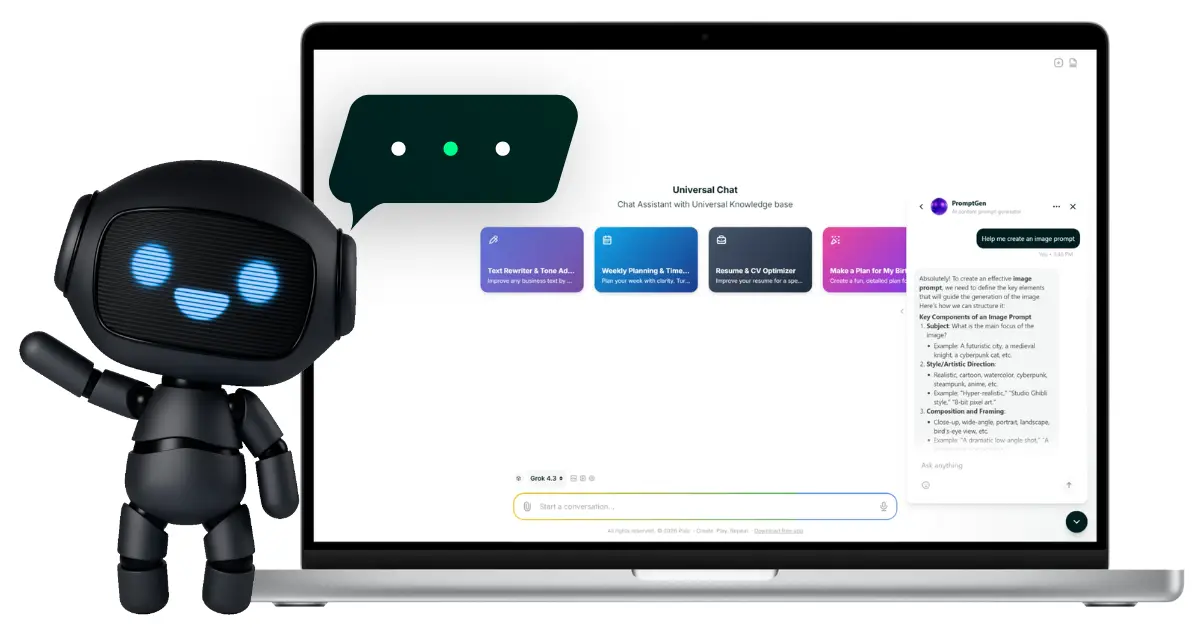
One Chat. 50+ AI Models. All
Your Tools in One Place.

Talk to OpenAI, Anthropic, Google, Deepseek, Cohere, and more from a single workspace. Analyze files, summarize YouTube videos, search the web, use voice—and upgrade to PRO to train your own custom assistants.

✨ 50+ LLMs • No setup • Free plan available

50+ AI models

Access OpenAI, Anthropic, Google, Deepseek, Cohere, and more. Pick the best model for every task.

Built‑in tools

Voice dictation, file analysis, URL analysis, YouTube meta search, Google search—all inside one chat.

AI memory

Pixic remembers important context across conversations. No more repeating yourself.

⚡ One workspace for everything

Write & Edit – Emails, posts, landing pages, scripts, docs
Research & Analyze – Summarize PDFs, compare documents, extract insights
Scrape Youtube Videos – Turn YouTube links into summaries, timestamps, and notes
Talk, don’t type – Use voice dictation to speak your prompts
Save & Reuse – Bookmark whole chats or just the parts you need
Write Code – Create code with the most capable LLM’s on the market, like Opus 4.5 or GPT‑5.2

⭐ Easy to Use

1

Pick a model – Choose from 50+ LLMs—or let Pixic recommend one for your task.

2

Ask naturally – Type or speak. Attach files, paste URLs, drop a YouTube link. Switch between models during conversations.

3

Refine & save – Follow up, adjust tone, change format. Save what matters.

Meet Your AI Assistants

Pre-trained assistants for your most common tasks—ready to use, no setup required.

CodeAssist

CodeAssist

Your AI coding partner

CodeAssist generates clean, executable code in 50+ programming languages. From debugging and refactoring to building complete functions—just describe what you need.

Get production-ready code with explanations, best practices, and security awareness built in.

Describe it. CodeAssist builds it.
Odyssey

Odyssey

Your creative writing companion

Odyssey helps you write better—whether it’s a novel, script, short story, or poem.

Get brainstorming support, structural feedback, character development, dialogue polish, and line-by-line edits. Odyssey adapts to your voice, genre, and skill level.

From blank page to polished draft.
PromptGen

PromptGen

Better prompts. Better results.

PromptGen transforms simple ideas into detailed, effective prompts for text, image, and video generation. Not sure how to describe what you want?

PromptGen crafts optimized prompts that get better results from any AI model—no prompt engineering skills needed.

Describe your idea. PromptGen does the rest.
Data Scan

Data Scan

Instant file analysis, powered by AI

Data Scan extracts insights from any file—PDFs, spreadsheets, images, code, and more.

Upload your file and get structured analysis: key data points, patterns, metadata, and actionable findings. No manual review. No technical skills required.

Upload any file. Get instant insights.

Smart Templates powered by DeepSeek R1

Skip prompt engineering and start from workflows that already work.

Choose from 80+ smart templates tuned for DeepSeek R1 across 6 categories. Open a template, add your details, and get production‑ready output in minutes. Export and Save your result in different formats.

Available LLM’s

Available models: GPT-5.5, GPT-5.4 PRO, GPT-5.4, GPT-5.4 MINI,GPT-5.4 NANO, GPT-5.2, GPT-5.2 Pro, O3 Pro, GPT-5.1, GPT-5 Pro, GPT-5, GPT-5 mini, GPT-5 nano, O4 mini, O1, GPT-4o, GPT 4o mini, O3, O3 mini, GPT 4o mini, GPT 4.1, GPT 4.1 mini, GPT 4.1 nano, GPT 4 turbo, GPT 4

OpenAI’s GPT models, like GPT-5.1 and GPT-4.1, stand out for their versatility, accuracy, and ease of use. They excel in understanding and generating natural, human-like text, making them ideal for conversations, writing, brainstorming, and problem-solving. With fast response times and multimodal capabilities (like image and text processing), they handle a wide range of tasks effortlessly. OpenAI also offers reliable, up-to-date knowledge, seamless integration with tools like ChatGPT, and features like custom instructions and memory for personalized interactions. Their models are highly adaptable, working well for everything from casual chats to professional tasks like coding, analysis, and creative projects. This combination of power, accessibility, and innovation makes them a top choice for users worldwide.

Available models: Opus 4.7, Opus 4.6, Sonnet 4.6,, Opus 4.5, Sonnet 4.5, Haiku 4.5, Sonnet 4, Opus 4, Opus 4.1, Haiku 3.5, Haiku 3

Anthropic's Claude models stand out for their safety, clarity, and natural conversation style. They are designed to be helpful, honest, and harmless, making them ideal for everyday use—whether you're chatting, brainstorming, or solving problems. Claude excels in understanding context, remembering long conversations, and providing thoughtful, detailed responses. It handles complex tasks like coding, writing, and analysis effortlessly. With features like Artifacts (for real-time previews of code or documents) and strong ethical safeguards, Claude feels more like a trusted assistant than just a tool. Its balance of speed, accuracy, and user-friendliness makes it a top choice for both casual and professional users.

Available models: Command A Reasoning, Command A Vision, Aya Vision 32B, Aya Expanse 32B, Command A, Command R+, Command R, Command R7B

Cohere's LLM models, such as Command R+, are built for practical and real-world applications, particularly in business and app development. Their key strengths include speed, efficiency, and seamless integration, making them perfect for tasks like search, chatbots, and data organization. What sets Cohere apart is its focus on scalability and affordability, ensuring it performs well even in large-scale projects. It also offers strong multilingual support, understanding and generating text naturally in multiple languages. With features like Rerank for improved search results and tool use for app connectivity, Cohere is an excellent option for users who need dependable, fast, and business-friendly AI solutions.

Available models: Grok 4.3, Grok 4.2

xAI's LLM models, like Grok, are designed to stand out with a focus on real-time knowledge and a unique, engaging personality. One of their biggest advantages is access to up-to-date information, making them great for discussions about recent events or trends. Grok is also known for its witty and direct communication style, which makes interactions feel more natural and conversational. Another strength is its ability to handle complex or technical topics with clarity, making it useful for both casual chats and deeper discussions. xAI emphasizes transparency and open-source collaboration, which helps build trust and encourages innovation. For users who want an AI that feels more dynamic and responsive, Grok offers a fresh and modern approach.

Available models: Gemini 3.1 Pro, Gemini 3 Pro, Gemini 2.5 Pro, Gemini 2.5 Pro Flash

Google’s Gemini models (like Gemini 1.5 Pro and Gemini Flash) are powerful AI tools designed for versatility and seamless integration with Google’s ecosystem. Their biggest advantage is their ability to understand and process multiple types of information at once—text, images, videos, and even code—making them great for tasks like analyzing documents, creating content, or solving problems that involve different formats. Gemini also stands out for its speed and efficiency, especially in real-time applications like chat or search. It benefits from Google’s vast knowledge base, providing accurate and up-to-date information. Another key feature is its ability to work well with other Google tools, like Docs, Gmail, and Drive, making it a natural choice for users already familiar with Google’s services. For those who want a smart, fast, and reliable AI that fits effortlessly into daily tasks, Gemini is a strong option.

Available models: V3.1, R1

DeepSeek’s LLM models, like DeepSeek-V3.1 and DeepSeek-R1, are gaining attention for their impressive balance of performance, affordability, and innovation. One of their biggest advantages is their cost-effectiveness—they deliver high-quality results without the high price tag, making them a great option for users who want powerful AI without breaking the bank. DeepSeek-V3.1 excels in speed and accuracy, handling tasks like coding, reasoning, and conversation with ease. Meanwhile, DeepSeek-R1 stands out for its longer context understanding, meaning it can remember and process more information in a single conversation, which is useful for complex or detailed discussions. Another key strength is their focus on open-source development, which encourages transparency and community-driven improvements. For users who want a smart, efficient, and budget-friendly AI, DeepSeek offers a compelling alternative to more expensive models.

Available models: Devstral Latest, Large 3, Medium 3.1, Small Latest

Mistral’s LLM models, like Mistral Large, are known for their efficiency, flexibility, and strong performance in both casual and professional use. One of their biggest advantages is their open-source approach, which allows developers and users to customize and deploy them freely, making them a favorite for innovation and experimentation. Mistral models are also praised for their speed and accuracy, especially in tasks like coding, multilingual conversations, and complex reasoning. They handle multiple languages naturally and are designed to work well even in resource-limited environments, making them accessible to a wider audience. Another standout feature is their modular design, which lets users choose the right model size for their needs—whether it’s a lightweight option for simple tasks or a more powerful version for advanced applications. For users who value transparency, adaptability, and high performance without excessive costs, Mistral is a top choice.


Your Brand. Your Rules. Your AI Agent.

Build, train, and deploy a custom AI agent in minutes—no coding required. Choose from 50+ AI models, upload your knowledge, and embed a branded chat widget on your website.

🤖 Fully Customizable • No Coding • Free for all users
Pixic AI Agents

Your Brand, Your Chatbot—Zero Coding Required

Customize your chatbot’s look, tone, and behavior to match your brand effortlessly. Deploy it anywhere with a single click—no developers needed.

Teach Your Chatbot, Watch It Master Your Business

Upload your files, links, or data to train your chatbot on your unique knowledge. It learns instantly, delivering accurate, context-aware responses every time.

Secure, Private, and Fully Under Your Control

Restrict access to approved domains and verify user identities for maximum security. Keep conversations encrypted and compliant—without sacrificing convenience.

Build Your AI Agent in Minutes

Create Your AI Agent Persona

Start by selecting the perfect AI model for your agent. Choose from cutting-edge models like GPT-5, Claude Opus, or Gemini Pro to power your agent’s intelligence.

  • Select AI Model: Pick the best LLM for your use case—whether it’s speed, accuracy, or multilingual support.
  • Add Instructions: Define your agent’s purpose with clear system prompts and guidelines.
  • Create a Persona: Give your agent a unique voice, tone, and personality to match your brand.

Train Your AI Agent with Knowledge

Make your agent smarter by feeding it the right data. Upload files, add links, or connect to live sources to ensure your agent has the latest information.

  • Upload Files & Data: PDFs, documents, spreadsheets—your agent learns from them all.
  • Add Links & Sources: Connect to websites, APIs, or databases for real-time knowledge.
  • Fine-Tune Responses: Adjust training to improve accuracy and relevance.

Customize Agent Behavior

Control how your agent interacts with users. Set up custom messages, define workflows, and ensure seamless conversations.

  • Edit Behavior: Define how your agent responds to queries, handles errors, and escalates issues.
  • Add Custom Messages: Personalize greetings, fallback responses, and call-to-action links.
  • Edit Home Space: Add additional help links, configure custom messages, add legal pages for strong brand presence.

Brand Your Widget

Make your AI agent feel like a natural part of your website. Customize its appearance to match your brand’s style.

  • Custom Icons: Upload your logo or choose from a library of modern icons.
  • Brand Colors: Pick colors that align with your website’s design.
  • Widget Themes: Choose from light, dark and auto-detect theme for a seamless look.

Secure Your AI Agent

Protect your agent and users with enterprise-grade security features. Control access, verify identities, and keep data safe.

  • Domain Restrictions: Limit widget access to approved domains only.
  • Server-Side Identity Verification: Ensure only authorized users interact with your agent.
  • Data Encryption: All conversations are encrypted for privacy and security.

Launch Your AI Agent in Seconds

Deploying your agent is as simple as pasting a code snippet. No coding skills required—just copy, paste, and go live.

  • Generate Code Snippet: Get a ready-to-use embed code for your website.
  • Paste & Install: Add the snippet to your site’s HTML—your agent is now live.
  • Instant Activation: Your agent starts assisting users immediately.

Track User Engagement

Monitor how users interact with your agent. Gain insights into conversations, popular queries, and user satisfaction—all from your Pixic dashboard.

  • Real-Time Analytics: See live interactions and engagement metrics.
  • Conversation History: Review past chats to improve responses.
  • User Feedback: Collect ratings and feedback to refine your agent.

PRO Features

Upgrade to PRO for advanced features that make your AI workspace smarter, faster, and truly yours.

Train your own AI assistants on your knowledge

Upgrade to PRO and build dedicated assistants that answer based on your documents, FAQs, and guidelines—accurate, on‑brand, available 24/7.

  • • Upload your knowledge – PDFs, docs, text, or url’s
  • • Set custom instructions – Define tone, format, behavior, and rules
  • • Reuse across projects – Build assistants for support, sales, content, internal knowledge, and more
Upgrade to Pro

Let Pixic remember what matters

Save important information from any conversation and recall it in future chats. No more repeating context—your AI workspace learns and remembers over time.

  • • Save key facts, preferences, and references from any chat
  • • Access saved memories automatically in new conversations
  • • Build a personalized AI that understands your context
Upgrade to Pro

Generate images without leaving the conversation

Describe what you need and get AI‑generated visuals instantly—right inside your chat. Perfect for brainstorming, mockups, and content creation.

  • • Generate images from text prompts mid‑conversation
  • • Create product visuals, social graphics, illustrations, and concepts
  • • Refine with follow‑ups: “Make it darker”, “Add more contrast”, “Try a flat style”
Upgrade to Pro

AI Switch

Seamlessly switch between available AI models during your conversation.

  • • Compare results between AI models
  • • 100+ supported file formats
  • • Better credit usage
  • • Use lighter models for easier tasks and switch to a more advanced LLM when better performance is needed
  • • FREE for all users (BASIC and PRO)

Chat Migration Tool

Easily migrate your chat conversations from OpenAI, Anthropic and xAI to Pixic.

  • • Preserve conversation structure and formatting
  • • Maintain message timestamps and metadata.
  • • Import conversations from ChatGPT
  • • Import conversations from Grok
  • • FREE for all users (BASIC and PRO)

Supercharged File/Data analysis

Supercharged models can analyze your files, read the web, tap into YouTube, create images, and remember your preferences—so answers are richer, more relevant, and up to date.

  • • Upload Up-to 10 files in a single input / conversation string
  • • 100+ supported file formats
  • • Upload and Compare different file formats in a single conversation input or string
  • • Live Web Search - Get real-time information from across the web
  • • YouTube Insights - Get detailed information about YouTube videos and channels
  • • Smart Web Reading - Extract and analyze information from any webpage
Upgrade to Pro
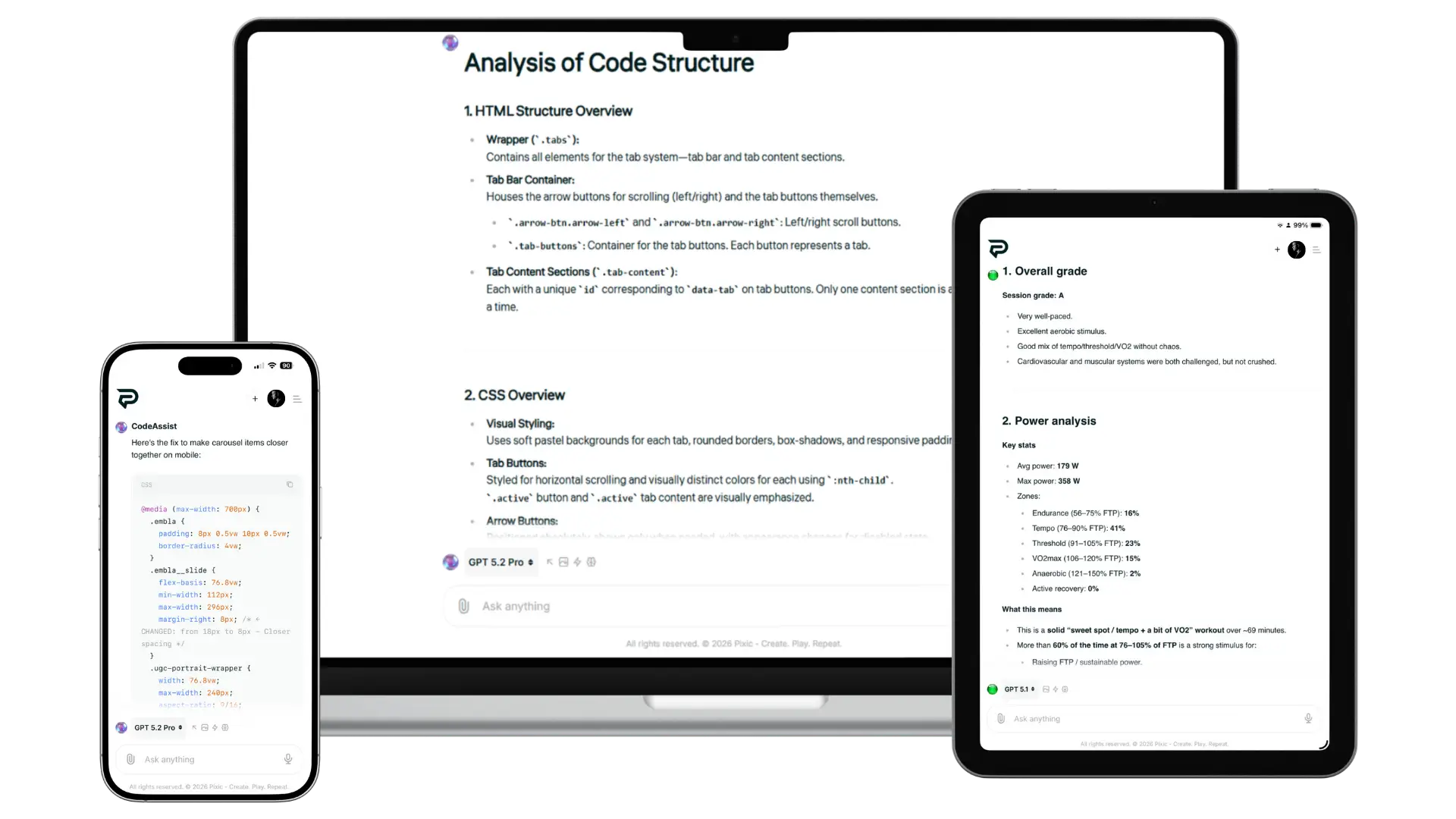
Pixic Chat Assistant cross-device

One platform. Any device. No app needed.

Pixic runs entirely in your browser—desktop, tablet, or mobile. Your workspace, content, and credits stay synced across all devices.

Fully responsive web app • No downloads • Works on all modern browsers

Pricing Options

* Additional credits option requires an active user subscription.
* Credit consumption varies based on the selected AI model and prompt length and complexity.
Always Free

Basic

$0.00
Available Credits: 500
  • 500 Credits per month
  • 50+ LLM models
  • Voice dictation
  • File & URL analysis
  • Google Search
  • Save chats & snippets
Select Free Plan
Fan Favorite

Pro

$39.99 / month
Available Credits: 3,000
  • 3000 Credits per month
  • Access to 50+ LLM models
  • Voice dictation
  • File & URL analysis
  • Google Search
  • Save chats & snippets
  • AI Memories
  • In‑Chat Image Generation
  • Custom Assistants (up to 5)
  • Priority support
Select Pro plan
AI tokens

Add Credits

Calculate the amount of credits
$3 $1000
$10
You get: 1000 total credits
  • Active credits never expire
  • Buy additional credits anytime
Buy Credits
* Buy any amount — credits are delivered instantly to your account!
* Credits are added to your active subscription and selected workspace.
* To buy additional credits, navigate to Billing → Buy additional credits.

FAQ about Chat Assistant

Is Pixic Chat really free?

Yes. The free plan gives you access to 50+ models, voice input, file/URL analysis, YouTube search, and saved chats. PRO unlocks AI memories, in‑chat image generation, custom assistants, and priority support.

What models are available?

Choose from 50 different LLM models, such as: OpenAI (GPT‑5.2 Pro, GPT‑4, etc.), Anthropic (Claude), Google (Gemini), Deepseek, Cohere, and many more.

What files can I upload?

You can upload, deepsearch and analyze more than 100 different file formats: pdf, odt, xml, csv, css, html, twig, doc, json,...

What are Custom Chat Assistants?

PRO users can upload documents and set instructions to create dedicated assistants that answer based on that specific knowledge. You can create up to 5 assistants.

What is AI Memories?

AI Memories lets you save important context from any conversation. Pixic recalls this information in future chats, so you don’t have to repeat yourself.

Can I generate images in chat?

Yes, with PRO. Describe what you want and Pixic generates images right inside the conversation. You can refine with follow‑up prompts.

Is my data secure?

Yes. Your files, content, and memories are used only for your sessions and assistants. We don’t use your data to train models.

Your AI chat workspace is ready

50+ models. Built‑in tools. One minimal interface. Upgrade to PRO for custom assistants, AI memories, and in‑chat image generation.